Screen time, interrupted.
Take back
your time.
That's how long the average person stares at their phone.
The iPhone app blocker that makes you hold a button for 90 seconds or type a 40-character string before you can doomscroll.
Available on iPhone · iOS 18.2+
How it works
Create Rules
Choose which apps to block and when. Set schedules, time limits, or location-based triggers so focus time starts without a debate.
Add Friction
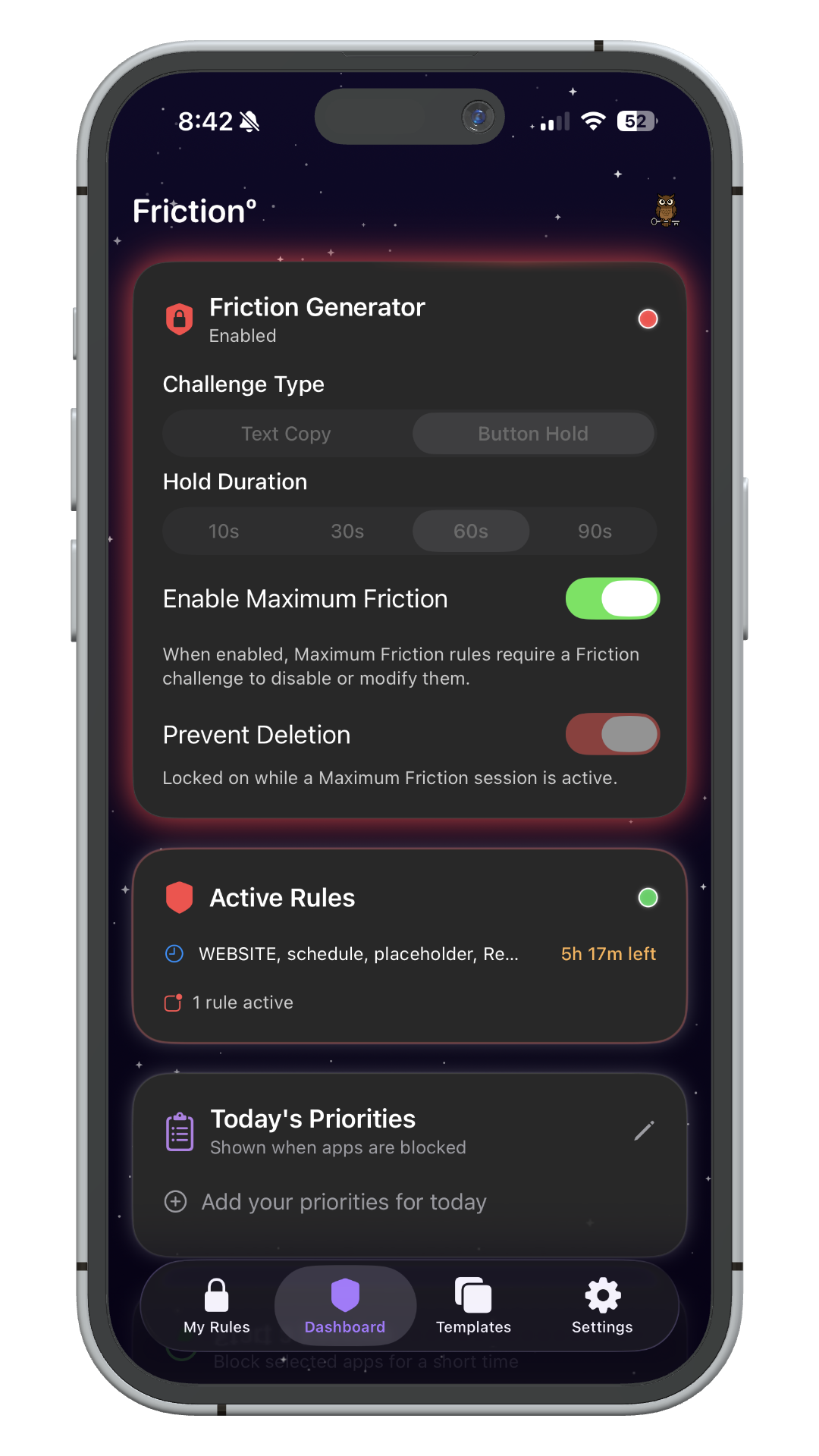
Choose a challenge that guards your rules. Changing or deleting a block requires finishing it first. Unlike Apple Screen Time, there is no one-tap Ignore Limit.
Stay Focused
Break the autopilot habit, build discipline, and reclaim your attention. The pause is long enough to remember why you wanted the wall.
The challenges
Your rules, protected from your future self.
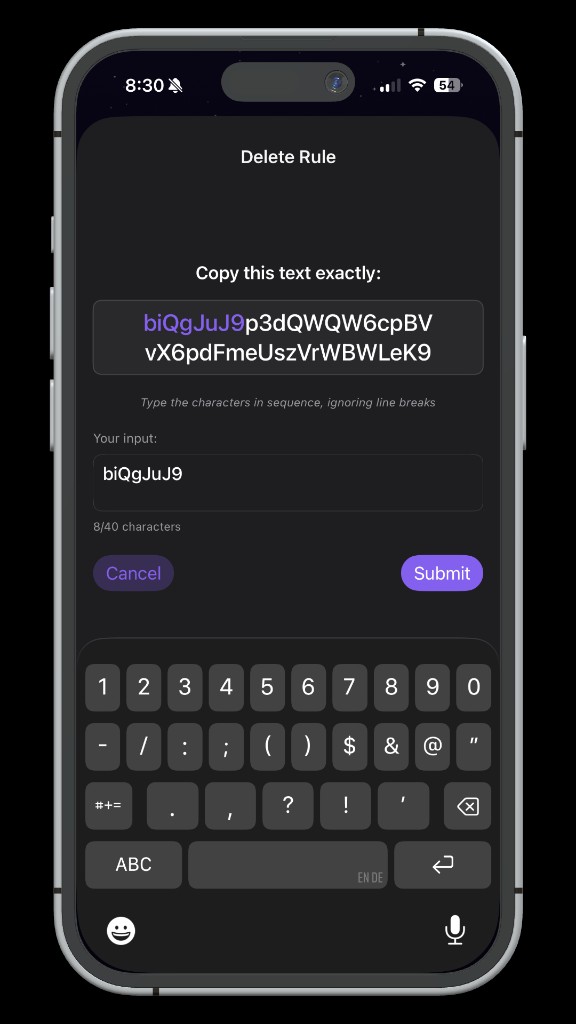
Button Hold
Hold a button for up to 90 seconds before a rule can be changed. That friction is usually enough to remember why you built the wall.
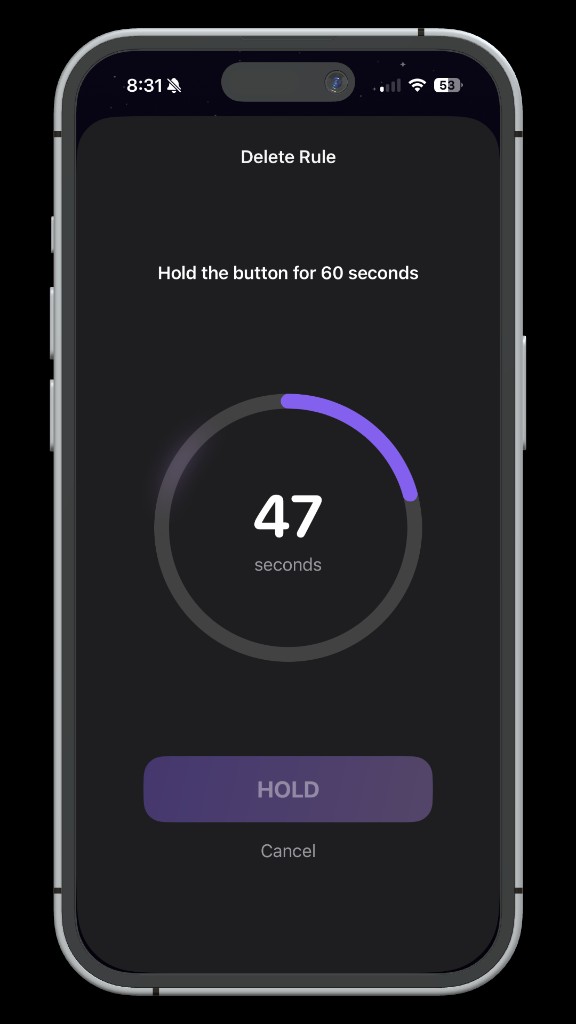
Text Copy
Copy a random string before you can modify or delete a rule. At 40+ characters, you'll likely remember why you set it before you finish.
Features
Everything you need to run a dopamine detox, stay focused, and build a healthier relationship with your phone.
Scheduled Blocking
Set recurring windows to block apps automatically: mornings, work hours, bedtime, or custom.
Multi-Time Rules
Create rules with multiple time windows throughout the day for granular control over your schedule.
Location-Based Rules
Automatically activate blocking when you arrive at the gym, office, library, or anywhere you choose.
One-Time Focus Sessions
Start an instant focus session for any duration. Perfect for studying, deep work, or creative flow.
The Friction System
The core differentiator, and why Friction is hard to bypass. Adjustable challenges guard your rules so they are difficult to undo in a weak moment, without making them impossible to change when you genuinely mean it.
String-Copy Challenges
Copy a long random string before a rule can be modified or deleted. The longer it is, the harder it is to convince yourself this exception is actually necessary.
Button-Hold Challenges
Hold a button for up to 90 seconds before a rule can be changed. That deliberate pause is usually enough to remind you why the rule exists.
App & Category Blocking
Block individual apps or entire categories like Social Media, Games, or Entertainment in one tap.
Website Blocking
Block specific domains across all browsers, plus optional adult content filtering for comprehensive protection.
Custom Shield Screen
When an app is blocked, a branded shield appears with your daily priorities, a gentle reminder of what matters.
Snooze Control
Need a quick break? Snooze a block temporarily, then re-engage with friction, staying deliberate every step.
Pricing
Start free. Upgrade when you're ready.